
Want to play Call of Duty with your friend on the same TV? You are not alone. A lot of players miss the old couch gaming days. Good news: split screen is back in Call of Duty, and this guide will show you how to turn it on, step by step.
Let’s understand this step by step, so you don’t miss anything.
What Is Call Of Duty Split Screen?
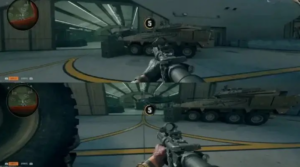
Split screen means two players share one TV. The screen splits into two parts. One player uses the top or left side. The other player uses the bottom or right side.
Both players use the same console. Both players use the same game copy. You don’t need to buy the game twice. That’s the best part.
This mode is great for:
- Friends who come over to play together
- Family members who want to game as a team
- Couples who share one console
- Anyone who misses old-school local multiplayer
Which Call Of Duty Games Support Split Screen?
This is where it gets tricky. Not every Call of Duty game has split screen. Activision removed it for a few years, then brought it back.
Here is the simple truth:
- Black Ops 3 and older games: Split screen worked, even in Campaign mode
- Games between Black Ops 3 and Black Ops 6: No split screen at all
- Black Ops 6 (2024): Split screen came back, but only for Multiplayer and Zombies
- Black Ops 7 (2025): Split screen is here too, again only for Multiplayer and Zombies
So if you are playing the newest Call of Duty game, Black Ops 7, you can enjoy split screen. But keep reading, because there are some rules you must know first.
What You Need Before You Start
Before you jump into split screen, check this small list. Missing even one step can stop split screen from working.
- A PS5 or Xbox Series X|S console. Split screen does not work on PC, PS4, or Xbox One. This is important. Many players get confused here.
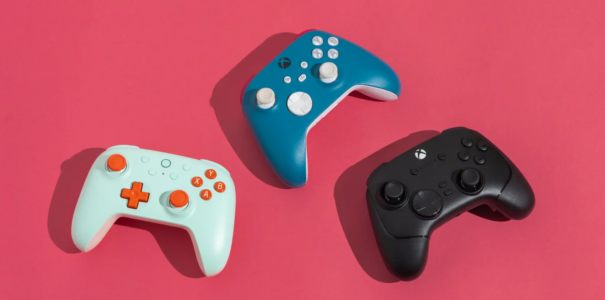
- Two controllers. One for each player. On Xbox, you can even use a controller and a keyboard/mouse together.
- An internet connection. This might surprise you. Even though you play on one couch, one screen, the game still needs the internet. Split screen will not work fully offline.
- Two separate profiles. Each player needs their own console profile and their own Activision account. You cannot use one guest account for both players.
- The game installed and updated. Old, outdated versions of the game may not show the split screen option at all.
Think of it like setting up a board game. You need the board, the pieces, and both players ready. Skip one thing, and the game won’t start right.
How To Turn On Split Screen In Call Of Duty (Step By Step)
Now let’s get to the main part. Here is how you turn on split screen, in the easiest way possible.
Step 1: Launch The Game
Turn on your PS5 or Xbox Series X|S. Open Call of Duty: Black Ops 7 (or Black Ops 6, if that’s what you own). Wait for the main menu to load.
Step 2: Pick The Right Mode
Go to Multiplayer or Zombies. Split screen does not work in Campaign or Warzone. This is a strict rule right now, so don’t waste time looking for it there.
Step 3: Connect The Second Controller
Turn on the second controller. On PS5, press the X button. On Xbox, press the A button. The console will ask who is joining.
Step 4: Sign In Player Two
Player Two needs to sign into their own profile. Then they log into their own Activision account. This step is required. You cannot skip it with a guest login.
Step 5: Confirm Both Players Are In
Once Player Two signs in, you should see both names appear in the lobby or party screen. If you see both players listed, you are ready to go.
Step 6: Choose Your Playlist And Start
Pick a multiplayer playlist or a Zombies match. Hit start. The screen will split, usually left and right or top and bottom, and you’re both in the game.
That’s it. Six simple steps, and you’re playing together on one screen.
Common Problems And How To Fix Them
Sometimes split screen just won’t show up. Don’t worry, this happens to a lot of players. Here are quick fixes for the most common issues.
Problem 1: The Join Prompt Doesn’t Appear
Go back to the main Multiplayer or Zombies menu. Make sure the second controller is turned on and connected. Press the join button again from there, not from Campaign or Warzone.
Problem 2: Split Screen Option Is Missing
Check your console. If you are on PS4, Xbox One, or PC, this is normal. Split screen is only for PS5 and Xbox Series X|S right now. There is no way around this on older hardware.
Problem 3: Second Player Can’t Sign In
Make sure both players have separate accounts. One shared account will not work for split screen. Each player needs their own Activision login linked to their own profile.
Problem 4: Game Freezes Or Lags
Split screen uses more power from your console. Close other apps running in the background. Also check your internet speed, since a weak connection can cause lag for both players at once.
Tips To Make Split Screen Games More Fun
Playing split screen is fun, but a few small tips can make it even better.
- Sit a little farther from the TV. Since the screen splits in half, each player’s view gets smaller. Sitting back helps you see more clearly.
- Use headphones with a splitter, or turn up game sound. This helps both players hear footsteps and gunfire clearly.
- Turn off Squad Fill if you only want to play as a duo. This stops random players from joining your party online.
- Pick modes with slower pace at first, like Team Deathmatch or a basic Zombies round. This helps new players get used to the smaller screen size.
- Take breaks. Split screen sessions can get intense. A five-minute break keeps both players sharp and having fun.
Split Screen Limits You Should Know
Split screen is fun, but it’s not perfect. Here’s what to expect, so there are no surprises.
- Campaign mode does not support split screen right now
- Warzone does not support split screen
- Only two players can join, not four like older games
- PC, PS4, and Xbox One players cannot use this feature
- You always need an internet connection, even for local play
Is that a bit disappointing? Maybe. But two-player split screen in Multiplayer and Zombies still brings back that classic couch gaming feeling many fans have missed for years.
Final Thoughts
Playing Call of Duty split screen brings back a fun, classic way to game with friends and family. Set up your PS5 or Xbox Series X|S, connect a second controller, sign in with two separate accounts, and pick Multiplayer or Zombies. Follow the steps above, and you’ll be playing side by side in just a few minutes.
Grab a friend, grab a second controller, and jump into the action together. Couch gaming is back, and it’s just as fun as you remember.
Frequently Asked Questions
Do I need two copies of the game?
No. One copy of the game on your console is enough for both players.
Can I play split screen offline?
No. Split screen in the newest Call of Duty games needs an active internet connection.
Does split screen work on PC?
No. Right now, split screen only works on PS5 and Xbox Series X|S consoles.
Can I play the Campaign in split screen?
Not yet. Campaign mode currently supports online co-op only, not split screen.
How many players can join split screen?
Two players. Older Call of Duty games allowed four, but current titles support two-player split screen only.