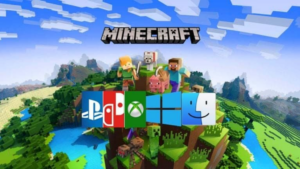

So your friend has a PS5. You have an Xbox. Your cousin only plays on his phone. Can you all jump into the same Minecraft world together?
Good news. Yes, Minecraft is cross-platform. But there’s a small catch you need to know first.
Let’s break it down step by step, in plain simple words. No confusing tech talk. Just what you need to know.
Is Minecraft Cross-Platform in 2026?
Here’s the short answer: Yes, Minecraft supports cross-platform play, but only if you’re using Bedrock Edition.
That’s the big secret nobody tells you at first. Minecraft actually comes in two different versions. And these two versions don’t always talk to each other.
Think of it like this. Imagine two friends who speak different languages. They both love the same game. But without a translator, they can’t chat properly. That’s Java Edition and Bedrock Edition for you.
Let’s look at each one closely.
Minecraft Java Edition vs Bedrock Edition
This is the part that confuses most players. So let’s make it super clear.
What Is Java Edition?
Java Edition is the original Minecraft. The old-school version.
- It only runs on PC (Windows, Mac, and Linux)
- It’s built using Java programming
- It has the best support for mods
- It’s popular with modded gameplay and public servers like Hypixel
If you love mods, custom skins, and deep technical tweaks, Java is amazing for you.
What Is Bedrock Edition?
Bedrock Edition is the newer, more flexible version. It was built to run smoothly across many devices.
- It works on Xbox, PlayStation, Nintendo Switch, mobile phones, and Windows PC
- It’s built using C++ for smoother performance
- It’s designed for full cross-platform play
- It connects players across almost every device, easily
<cite index=”3-1″>Bedrock Edition supports full crossplay between PC, Xbox, PlayStation, Nintendo Switch, iOS, and Android through a shared Microsoft account.</cite> That’s a huge deal if your friend group uses different devices.
Can Java and Bedrock Players Play Together?
Short answer: Not officially.
<cite index=”3-1″>Java Edition runs a separate system, and the two editions do not officially connect to each other.</cite>
So if you’re on Java, you can’t just invite your Bedrock friend and start playing. It won’t work out of the box.
But wait, don’t lose hope yet. There’s a workaround.
The GeyserMC Trick
Some clever developers made a tool called GeyserMC. It’s like a bridge between the two islands.
<cite index=”2-1″>If you, as a Java Edition player, want to play with your friends on Bedrock Edition, you can use the third-party GeyserMC plugin. This allows you and your friends to join the same world on a variety of devices.</cite>
Keep in mind, this is not made by Mojang (the company behind Minecraft). It’s a community tool. So it works well, but it’s not officially supported.
Which Devices Support Minecraft Crossplay?
Let’s make this dead simple. Here’s who can play with whom.
Bedrock Edition players can crossplay on:
- Windows PC
- Xbox One and Xbox Series X|S
- PlayStation 4 and PlayStation 5
- Nintendo Switch
- iOS (iPhone, iPad)
- Android phones and tablets
All of these devices share the same online world. A kid on a phone can build a house next to a friend on a PS5. That’s the magic of Bedrock.
Java Edition players can only crossplay on:
- Windows
- macOS
- Linux
That’s it. Just PC to PC.
What About PS4, PS5, Xbox One, and Series X|S?
Good question. Do older and newer consoles mix together too?
Yes, they do. <cite index=”3-1″>PS4 and PS5 share servers. Xbox One and Xbox Series X|S share servers through backward compatibility.</cite>
So you don’t need the newest console to join your friends. Old or new, if it’s Bedrock, it connects.
How to Set Up Minecraft Crossplay (Step by Step)
Ready to play with your friends? Follow these easy steps.
Step 1: Make sure everyone owns Bedrock Edition
This is the most important step. If even one friend has Java, they won’t connect the normal way.
Step 2: Sign in with a Microsoft account
Every player needs a Microsoft account. It’s free to make one. This account is what links your progress and friends list.
Step 3: Turn on cross-network play in settings
This step trips up a lot of players, especially on PlayStation. <cite index=”4-1″>PlayStation has a setting buried in Account Management that blocks crossplay if you don’t toggle it on.</cite> Go check it before you panic.
Step 4: Check your game version
This one matters a lot. <cite index=”6-1″>Both players need to be on the same version of Minecraft. Update both sides and try again.</cite>
Fun fact: Mojang changed how they name versions in 2026. So don’t panic if the numbers look different from what you remember. Just make sure both devices show the same update.
Step 5: Add friends and invite them
Once everyone is signed in and updated, just search their username and send an invite. That’s it. You’re in.
Common Crossplay Problems (And Quick Fixes)
Even with everything set up right, sometimes things don’t connect smoothly. Here’s what usually goes wrong, and how to fix it fast.
- “Outdated Client” error — One player needs to update the game. Simple fix, just update and restart.
- Friend not showing up in invites — Check that cross-network play is turned on in your console settings.
- Connection keeps failing — This is often a router issue. Try restarting your router, or turn on UPnP in your router settings.
- Can’t join at all — Double check you’re both on Bedrock Edition, not one Java and one Bedrock.
Most crossplay headaches come down to one simple thing: version mismatch. Fix that first, always.
Do You Need a Subscription to Crossplay?
This part surprises a lot of people. Yes, on consoles, you usually need an active online subscription.
That means Xbox Game Pass, PlayStation Plus, or Nintendo Switch Online. And here’s the tricky part: even playing locally on the same couch with two controllers can count as “multiplayer” and still needs that subscription active.
So check your subscription before blaming the game for not connecting.
Is Minecraft Java and Bedrock Ever Going to Merge?
Many players hope for one unified Minecraft someday. But it doesn’t look like that’s happening soon.
Java has over 15 years of mods built around it. Bedrock has strict rules for consoles. Merging them completely would break a lot of things people love about each version.
So for now, think of them as two close cousins. They share a family name, but they live different lives.
Java or Bedrock: Which One Should You Choose?
Still not sure which version fits you? Here’s a simple way to decide.
Pick Java Edition if:
- You mostly play alone or with PC friends
- You love mods and custom content
- You enjoy big public servers with deep community features
- You’re okay staying PC-only
Pick Bedrock Edition if:
- Your friend group uses different devices (console, mobile, PC)
- You want the easiest, smoothest crossplay experience
- You play mostly on console or mobile
- You want simple setup with no extra plugins
If your squad is mixed, meaning some on PS5, some on Xbox, some on phone, Bedrock is the clear winner. It just works.
Final Thoughts
So, is Minecraft cross-platform? Yes, absolutely, as long as everyone is on Bedrock Edition. It connects Windows, Xbox, PlayStation, Switch, and mobile into one big shared world.
Java Edition stays separate, built for PC players who love mods and deeper customization. If you really want to mix Java and Bedrock, tools like GeyserMC can help, though it’s not officially supported by Mojang.
The easiest advice? If your friends are spread across different devices, get everyone on Bedrock. It saves you the headache and gets you playing together faster.
Now go grab your friends, check your settings, and start building something amazing together.