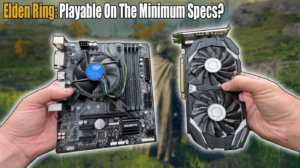

Do you want to play Elden Ring but you are not sure if your PC can handle it? You are not alone. A lot of players ask this same question before they buy the game.
Good news first: Elden Ring is not as heavy as it looks. Even an old-ish PC can run it. In this article, we will show you the exact minimum PC requirements for Elden Ring, in very simple words. No tech jargon. Just plain facts.
Let’s understand this step by step.
Elden Ring Minimum PC Requirements (Quick Table)
Here is what your PC needs at the very least to run Elden Ring:
- OS: Windows 10 (64-bit)
- Processor (CPU): Intel Core i5-8400 or AMD Ryzen 3 3300X
- RAM: 12 GB
- Graphics Card (GPU): NVIDIA GeForce GTX 1060 (3GB) or AMD Radeon RX 580 (4GB)
- DirectX: Version 12
- Storage: 60 GB free space
If your PC matches this list, you can play Elden Ring. It will run on low settings, but it will run smoothly. No crashing, no big lag.
Let’s Break It Down (In Plain English)
Numbers and specs can feel confusing. So let’s talk about what each part actually means for you.
1. Processor (CPU) – The Brain of Your PC
Think of the CPU as the brain of your computer. It handles enemy movement, map loading, and game logic.
For Elden Ring, you need at least an Intel Core i5-8400 or AMD Ryzen 3 3300X. These are mid-range CPUs from a few years back. Most gaming PCs already have something equal or better.
2. RAM – Your PC’s Short-Term Memory
RAM is like your PC’s short-term memory. The more RAM you have, the more the game can “remember” while running, like textures, sounds, and open areas.
Elden Ring needs 12 GB RAM as the bare minimum. If you only have 8 GB, you will likely face stutters and freezing. So 12 GB is not just a suggestion, it is a real requirement.
Tip: If you can afford it, go for 16 GB RAM. It gives you a smoother, more relaxed experience.
3. Graphics Card (GPU) – The Visual Engine
The GPU draws everything you see on screen: dragons, castles, fire, and fog. Elden Ring’s world, the Lands Between, is huge. So the GPU works hard.
The minimum GPU is a GTX 1060 (3GB) or RX 580 (4GB). These cards are old but still capable. With this GPU, expect around 30 FPS on low settings at 1080p resolution. It won’t be super smooth, but it will be playable.
Real-life example: Imagine driving an old car on a highway. It won’t be the fastest, but it will still get you to your destination.
4. Storage Space – Room for the Game
You need 60 GB of free storage to install Elden Ring. This includes the base game.
Quick tip: Try to install the game on an SSD instead of a normal HDD. An SSD makes loading times much faster, and Elden Ring loves fast loading, because you will die a lot and need to reload quickly.
5. DirectX 12 – The Software Bridge
DirectX 12 is a system that helps your game talk to your graphics card. Most PCs from the last 5-6 years already support this. So this one is rarely a problem.
Minimum vs Recommended Requirements: What’s the Difference?
People often confuse “minimum” and “recommended” requirements. Let’s clear this up in simple words.
- Minimum requirements mean your PC can run the game, but only on low settings and lower FPS.
- Recommended requirements mean your PC can run the game on medium to high settings, with a better and smoother experience.
Here is the recommended spec, just so you can compare:
- CPU: Intel Core i7-8700K or AMD Ryzen 5 3600X
- RAM: 16 GB
- GPU: NVIDIA GeForce GTX 1070 (8GB) or AMD Radeon RX Vega 56
- Storage: 60 GB (SSD strongly suggested)
As you can see, the jump from minimum to recommended is not huge. This is actually good news. It means Elden Ring is well optimized. You don’t need a super expensive gaming PC to enjoy it.
Can Elden Ring Run on a Laptop?
Yes, it can. Many players run Elden Ring on gaming laptops without any big issues.
But keep this in mind:
- Your laptop needs its own dedicated graphics card (like a GTX 1650 or higher), not just an integrated one.
- Laptops usually perform a little weaker than desktop PCs with the same specs, because of heat and power limits.
- Good cooling matters a lot. If your laptop overheats, performance will drop.
So if you own a decent gaming laptop, don’t worry. You should be fine.
What Happens If Your PC Doesn’t Meet the Minimum Requirements?
Honest answer? The game might still open. But you will likely face:
- Very low FPS (choppy gameplay)
- Long loading screens
- Random crashes
- Blurry or broken graphics
It is not a fun experience. So it’s always better to check your specs first, before buying the game.
How to Check If Your PC Can Run Elden Ring
Not sure what hardware is inside your PC? No problem. Here’s a simple way to check on Windows:
- Press the Windows key and type “System Information.”
- Open the app. It will show your Processor and installed RAM.
- To check your graphics card, search for “Device Manager,” then click “Display adapters.”
Once you have this info, just compare it with the minimum list above. Easy, right?
Quick Tips to Improve Performance on Low-End PCs
Even if your PC is right at the minimum level, here are a few tricks to get better performance:
- Lower your graphics settings to Low or Medium first, then adjust slowly.
- Update your GPU drivers. Old drivers often cause lag and bugs.
- Close background apps. Chrome tabs and Discord can quietly eat your RAM.
- Use an SSD if you can. It reduces loading and stutter issues a lot.
- Turn off V-Sync if your FPS feels locked too low.
Small changes like these can make a real difference, without spending extra money.
Final Thoughts
So, what is the minimum PC requirement for Elden Ring? In short, you need a Core i5-8400 or Ryzen 3 3300X CPU, 12 GB RAM, a GTX 1060 or RX 580 graphics card, and 60 GB free storage.
The best part? Elden Ring doesn’t demand a monster PC to run. It is genuinely one of the more accessible big-budget games on the market today. If your PC meets these numbers, you’re ready to step into the Lands Between.
Got an older PC? Don’t worry too much. Try lowering your settings, and you should still enjoy the adventure. After all, the real challenge in Elden Ring isn’t your hardware, it’s the bosses waiting for you.