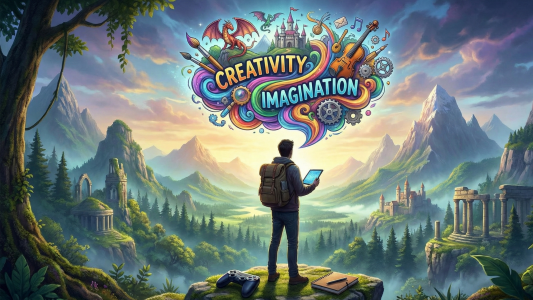

Have you ever played a game and thought, “I wish I made this”?
Good news. You can.
You don’t need a big studio. You don’t need a huge team. You don’t even need years of coding experience. All you need is a plan, some patience, and this guide.
In this article, we will show you how to make a video game from scratch, step by step. No confusing tech talk. No boring theory. Just simple, clear steps that anyone can follow, even if English is not your first language.
Let’s understand this step by step.
Why Learn Game Development?
Game development is one of the most exciting skills you can learn today.
Here’s why people love it:
- You get to build something people actually play and enjoy
- It mixes art, story, music, and logic in one project
- It can turn into a real career or a fun side income
- The gaming industry is huge and still growing every year
Think about games like Minecraft or Flappy Bird. Both started as small, simple ideas. One person built them first. That person could be you.
Step 1: Start With a Simple Game Idea
Every big game started as a small idea.
Don’t try to build the next Call of Duty on day one. That’s like trying to run before you can walk.
Instead, ask yourself:
- What is one simple game I can finish in a few weeks?
- What games do I personally enjoy playing?
- Can I explain my game idea in one sentence?
Example: “A cat jumps over obstacles to collect coins.” That’s it. Simple, clear, and doable.
Beginner-friendly game ideas include:
- Flappy Bird style games
- Simple puzzle games
- A basic platformer (like Mario, but smaller)
- A quiz or trivia game
- A snake game
Start small. You can always add more later.
Step 2: Choose the Right Game Engine
A game engine is the tool that helps you build your game. Think of it like a kitchen. It gives you all the tools you need to cook, so you don’t have to build the stove yourself.
Here are the most popular engines for beginners:
Unity
Unity is one of the best choices for beginners. It’s free to start, and it has tons of tutorials online. Many mobile games and indie games are made in Unity.
Unreal Engine
Unreal Engine is powerful and great for realistic, high-quality graphics. It’s a bit harder to learn but perfect if you want stunning visuals.
Godot
Godot is 100% free and open-source. It’s lightweight and great for 2D games. Many new developers love it because it’s simple and beginner-friendly.
Scratch (For Absolute Beginners)
If you’re brand new to coding, Scratch is a great place to start. It uses drag-and-drop blocks instead of typing code. It’s often used to teach kids, but adults use it too.
Our tip: If you’re just starting out, go with Godot or Unity. They have huge communities, so if you get stuck, help is just a search away.
Step 3: Learn the Basics of Coding
You don’t need to be a coding genius. But you do need to know the basics.
Most game engines use one of these programming languages:
- C# – used in Unity
- C++ – used in Unreal Engine
- GDScript – used in Godot (very beginner-friendly, similar to Python)
Here’s what you should focus on first:
- Variables (storing information, like a player’s score)
- Loops (repeating actions, like enemy movement)
- If-else statements (making decisions, like “if health is 0, game over”)
- Functions (reusable blocks of code)
You don’t need to master everything at once. Learn a little, build a little. That’s how real developers grow.
Step 4: Design Your Game World
Now comes the fun part. Designing how your game looks and feels.
Ask yourself these questions:
- What will my characters look like?
- What is the setting (space, forest, city, fantasy world)?
- What colors and mood do I want (happy, scary, calm)?
You don’t need to be an artist. You can use:
- Free assets from websites like OpenGameArt or Itch.io
- Simple shapes and colors to start (many hit games began this way)
- AI art tools to create quick placeholder graphics
Real-life example: The game Undertale used simple, pixel-style graphics. It wasn’t fancy, but the story and gameplay made it a massive hit. Good design doesn’t always mean expensive graphics.
Step 5: Build the Core Gameplay First
This is the most important step. Many beginners skip this and jump straight to fancy graphics or extra features. That’s a mistake.
First, build the core loop. This means the main action the player will repeat again and again.
Example core loops:
- Jump over obstacles (like Flappy Bird)
- Collect items and avoid enemies (like Pac-Man)
- Solve a puzzle to move to the next level
Ask yourself: Is this fun even without graphics or sound?
If yes, you’re on the right track. If not, fix the gameplay before adding anything else.
Step 6: Add Sound and Music
Sound brings a game to life. Imagine watching a scary movie with no sound. It just doesn’t feel the same, right?
You don’t need to hire a musician. You can:
- Use free sound libraries like Freesound.org
- Find royalty-free music on YouTube Audio Library
- Create simple sound effects using free tools like Bfxr
Add sounds for:
- Jumping or moving
- Collecting points
- Winning or losing
- Background music that matches the game’s mood
Step 7: Test Your Game (A Lot)
Testing is not optional. It’s one of the most important parts of game development.
Why? Because you built the game, so you know exactly how to play it perfectly. But new players won’t.
Here’s how to test properly:
- Play your own game daily as you build it
- Ask friends or family to try it, even if it’s unfinished
- Watch how they play. Where do they get stuck? Where do they get bored?
- Fix bugs as soon as you find them
Pro tip: Don’t take feedback personally. Every famous game went through hundreds of bug fixes before release.
Step 8: Polish Your Game
Once your game works well, it’s time to polish it. Polishing means making small changes that make a big difference.
This includes:
- Smoothing out animations
- Fixing small bugs
- Improving menus and buttons
- Adding a tutorial for new players
- Making sure the game runs smoothly on different devices
Small details matter. A polished game feels professional, even if it’s simple.
Step 9: Publish Your Game
You did it. Now it’s time to share your game with the world.
Here are popular platforms to publish your game:
- Itch.io – great for indie developers and free games
- Google Play Store – for Android mobile games
- Apple App Store – for iOS mobile games
- Steam – for PC games (has a small fee to publish)
Before publishing, make sure to:
- Test the game one final time
- Write a clear, exciting game description
- Add screenshots or a short gameplay video
- Choose a catchy game name
Common Mistakes Beginners Make (And How to Avoid Them)
Let’s be honest. Everyone makes mistakes when learning something new. Here are the most common ones, so you can avoid them.
- Starting too big: Trying to make an open-world game as your first project. Start small instead.
- Ignoring testing: Skipping playtesting leads to a buggy, frustrating game.
- Perfectionism: Spending months on one small detail instead of finishing the game.
- Learning without building: Watching tutorials for months without actually creating anything. Learn by doing, not just watching.
- Giving up too soon: Every developer faces bugs and frustration. It’s part of the process, not a sign of failure.
How Long Does It Take to Make a Game From Scratch?
This depends on your experience and how complex your game is.
- Simple game (like Flappy Bird style): A few days to a few weeks
- Small indie game: A few months
- Full-length game: One to three years or more
Don’t worry about speed. Focus on learning and finishing small projects first. Speed comes naturally with practice.
Final Thoughts: You Can Really Do This
Making a video game from scratch might sound hard at first. But like any skill, it becomes easier with practice.
Here’s a quick recap of what we covered:
- Start with a simple game idea
- Choose a beginner-friendly game engine
- Learn basic coding concepts
- Design your game world
- Build the core gameplay first
- Add sound and music
- Test your game often
- Polish the final details
- Publish and share it with the world
Every professional game developer started exactly where you are right now. The only difference between them and you? They started, and they kept going.
So, what are you waiting for? Open your game engine, and start building your first game today.